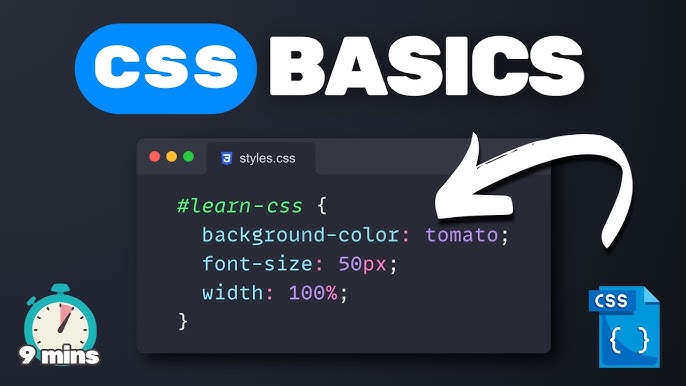
Introduction to CSS
CSS, or Cascading Style Sheets, is a styling language used to control the layout and visual appearance of web pages. It's a crucial tool for web developers, allowing them to separate presentation from structure and create visually appealing, user-friendly websites. With CSS, you can control everything from font sizes and colors to layouts and animations.
Basic CSS Concepts
Before diving into the world of CSS, it's essential to understand some basic concepts. These include:
- Elements: The building blocks of HTML, such as headings, paragraphs, and images.
- Properties: The characteristics of an element, such as color, font size, and background image.
- Values: The specific values assigned to properties, such as 'red' or '16px'.
- Selectors: The way you target elements in your HTML document, using IDs, classes, or tag names.
CSS Selectors
- CSS selectors are used to target specific elements in your HTML document. There are several types of selectors, including:
- ID selectors: Used to target a single element with a unique ID, denoted by a hashtag (#) symbol.
- Class selectors: Used to target multiple elements with the same class, denoted by a dot (.) symbol.
- Tag selectors: Used to target all elements of a specific type, such as 'p' or 'img'.
- Attribute selectors: Used to target elements based on specific attributes, such as 'href' or 'src'.
CSS Properties
- CSS properties are used to control the visual appearance of elements. Some common properties include:
- Color: Used to set the text color of an element.
- Background-color: Used to set the background color of an element.
- Font-size: Used to set the font size of an element.
- Width and Height: Used to set the width and height of an element.
CSS Units
- CSS units are used to measure the size of elements. Some common units include:
- px (pixels): Used to set the size of an element in pixels.
- em: Used to set the size of an element relative to the font size of its parent element.
- rem: Used to set the size of an element relative to the root element (usually the 'html' element).
- % (percentages): Used to set the size of an element as a percentage of its parent element.
Best Practices for Writing CSS
- Writing clean, efficient CSS is essential for maintaining a healthy and scalable codebase. Some best practices include:
- Use meaningful class names: Use descriptive class names that indicate the purpose of the element.
- Use a preprocessor: Tools like Sass and Less can help you write more efficient and modular CSS.
- Use a CSS framework: Frameworks like Bootstrap and Tailwind CSS can provide a solid foundation for your CSS code.
- Test and iterate: Test your CSS code in different browsers and devices, and make adjustments as needed.
For more information on CSS, check out the MDN Web Docs or W3Schools.
Loved this post?
No upcoming cohort right now — but we're always launching new ones!
Check out our full program lineup.
Comments (0)
No comments yet. Be the first to leave a comment!
Leave a Comment
Categories
- A Day in the Life Series
- Behind the Scene
- Career Development
- Digital Marketing
- Faculty and Staff Spotlight
- Perspectives
- Product Design
- Program Overview
- Promotion Strategy
- Study Tips and Tricks
- Success Stories
- Sustainability and Social Responsibility
- Tips & Insights
- Trend in Education
- Web Development
Recent Posts
• Celebrating the Next Generation of Tech Talent in Osun • OsunDIB Program with Madros Lessons Week One Recap: Empowering Digital Leaders • Week 2 Recap: UI/UX and Fullstack Progress • Week 3 to Week 6 Recap at OsunDIB Program • Week 7 Recap at OsunDIB Program: Fullstack and UX/UX Students in Full Swing • Building the Future: Inside the 8-Week Success Story of the Osun Digital Innovation Bootcamp • Unlocking Data Insights with Power BIReady to Level Up?
Explore our practical, live, and certification tech courses today.
Explore Courses →